¶ Adding a student
A "student" in this system is a res.partner record with is_student = True. The flag unlocks the Student Information tab on the contact form and exposes school-specific fields (admission number, classroom, guardians, medical, emergency contact).
¶ 1. Open the Students list
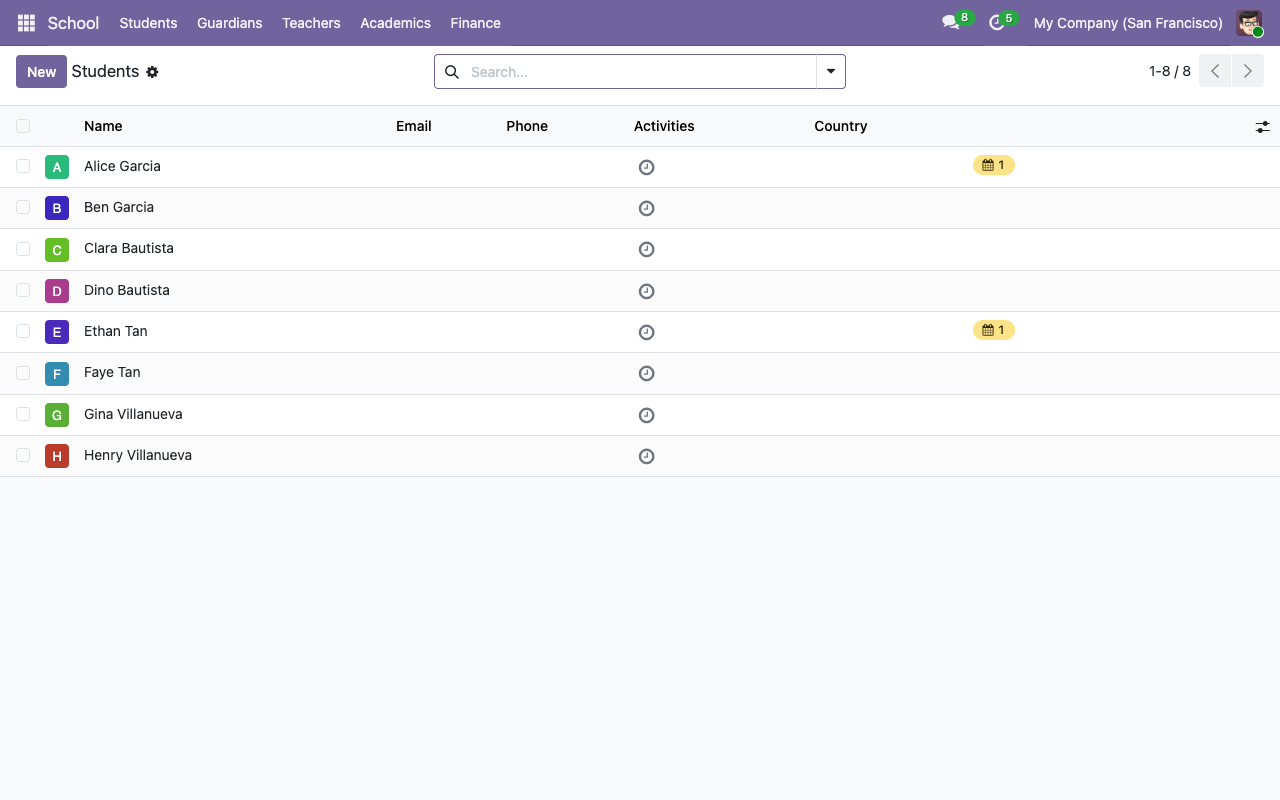
School → Students. You'll see every partner already flagged is_student.
¶ 2. Click New
The form opens with the Is Student checkbox visible at the top.
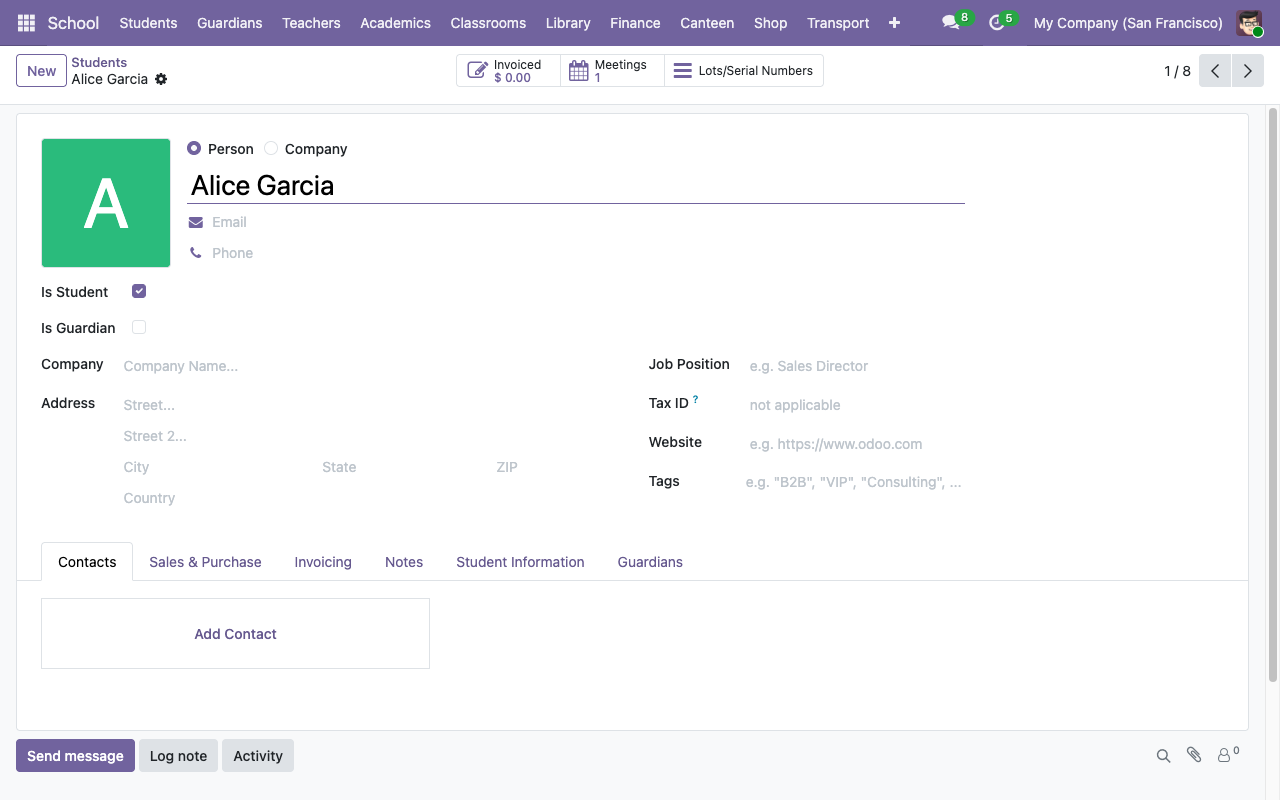
Fill in the standard partner fields (name, email, phone, address), then tick Is Student. Leave Is Guardian off — a person can technically be both (e.g. adult learners with dependents), but the common case is one or the other.
¶ 3. Open the Student Information tab
Once you've ticked Is Student, a new notebook tab named Student Information appears at the bottom of the form. Click it.
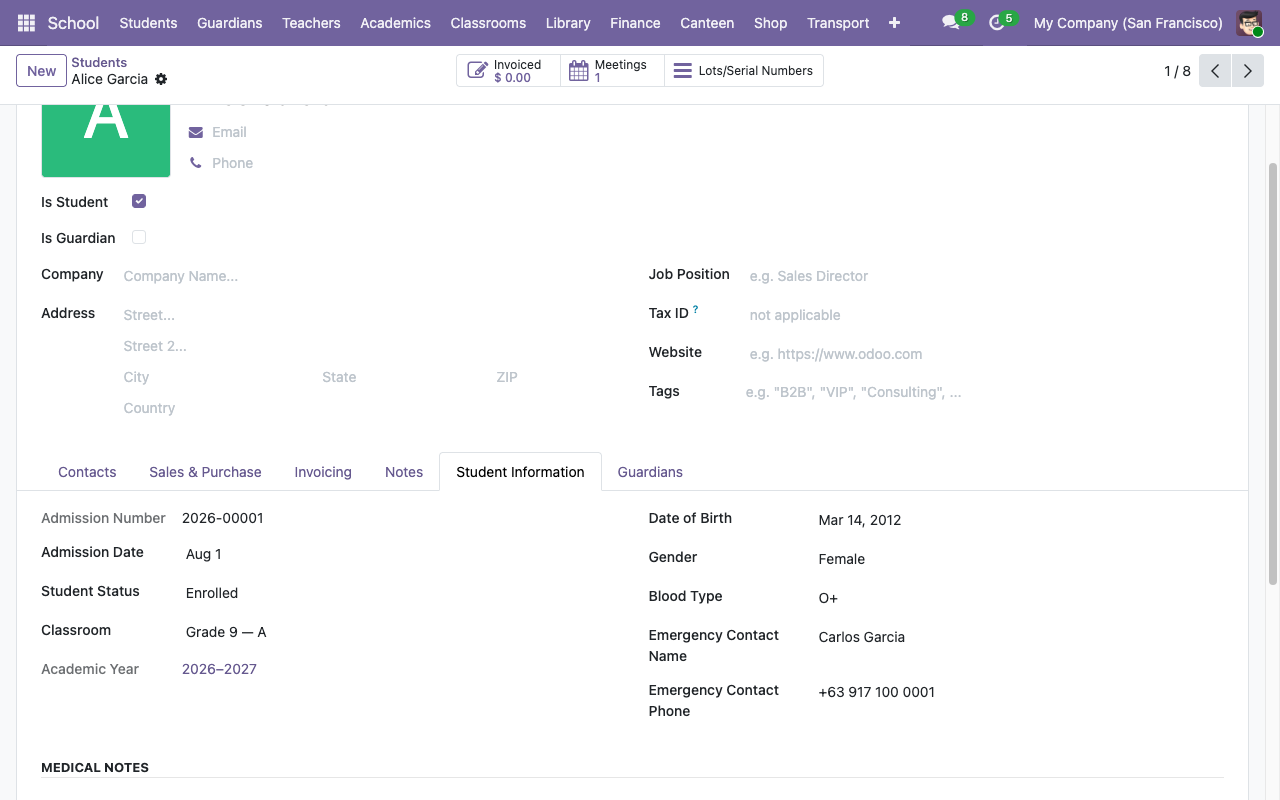
Fields:
| Field | Notes |
|---|---|
| Admission Number | Auto-generated on save via the school.student.admission sequence (default format <year>-NNNNN, e.g. 2026-00001). Leave blank and Odoo fills it. |
| Admission Date | Defaults to today. |
| Student Status | Enrolled / On Leave / Graduated / Withdrawn. Start with Enrolled. |
| Classroom | Pick the active classroom for the current academic year. |
| Academic Year | Auto-filled from the classroom. Read-only. |
| Date of Birth, Gender, Blood Type | Self-explanatory. |
| Emergency Contact Name / Phone | The person the school calls if something goes wrong. |
Set whatever you know and save.
¶ 4. Link guardians
Switch to the Guardians tab on the same form and add the student's parents / guardians. Each guardian is itself a res.partner — click the dropdown and either pick an existing one or click Create and edit... to add a new guardian record (tick Is Guardian on that new partner).
Guardian ↔ ward is a symmetric many-to-many: linking Carlos Garcia as a guardian of Alice automatically adds Alice to Carlos's Wards tab.
¶ 5. (Optional) Create a portal user for the guardians
See Giving guardians portal access — this lets them sign in at /my/school and see grades, attendance, and fees for all their wards.
¶ Admission number format
By default the sequence produces <year>-NNNNN (e.g. 2026-00001). To change the format (e.g. to use a school-specific prefix like RES-):
- School → Configuration → Admission Number Sequence (manager-only).
- Edit the Prefix field (
%(range_year)s-is the default — Python template substitution). You can also change padding and next-number fields. - Save. Every new student will use the updated format; existing admission numbers are not renumbered.
¶ Promoting a contact to a student
You can flip any existing res.partner into a student by ticking Is Student. On save, an admission number is auto-generated if one wasn't already set. All the standard contact data (email, phone, address, tags) is preserved.
¶ What happens on delete
Deleting a student is a full res.partner delete. It will fail (via ondelete="restrict" on the guardian m2m and the classroom assignment) if the student is actively linked elsewhere. The cleaner lifecycle is to set Student Status → Graduated or Withdrawn instead of deleting.