¶ Installing the School Management System
The repository ships a Docker Compose stack — PostgreSQL 16 and Odoo 19 Community — configured to mount the repo as an Odoo custom addons path. You can be up and running in under five minutes on any host with Docker.
¶ Prerequisites
- Docker Desktop / Docker Engine 24+ with Compose v2.
- ~2 GB free disk for the Odoo image + PostgreSQL data volume.
- Ports
8069(Odoo HTTP) and5433(PostgreSQL, exposed bydocker-compose.override.ymlfor local dev) free.
¶ 1. Clone and configure
git clone <repo-url> odoo-school
cd odoo-school
echo 'POSTGRES_PASSWORD=odoo-dev-password' > .env
.env is gitignored — safe to keep a local dev password there. Production setups should use a stronger secret and a separate .env.prod or a secret manager.
¶ 2. Bring the stack up
docker compose up -d
First boot pulls the odoo:19.0 and postgres:16-alpine images (~600 MB combined). Subsequent boots are instant.
Sanity check:
curl -s -o /dev/null -w "%{http_code}\n" http://localhost:8069/
# 303  (redirects to the DB selector on first run)
¶ 3. Create a database and install the suite
Use the one-shot container form so you don't interfere with the long-running Odoo process:
docker compose run --rm --no-deps odoo odoo \
    -d school_dev \
    -i school_homepage \
    --without-demo=False \
    --stop-after-init
What that does:
-d school_dev— creates or uses a database namedschool_dev.-i school_homepage— installsschool_homepage, which transitively pulls in every otherschool_*module (the full suite).--without-demo=False— load the demo data (students, teachers, classrooms, courses, exam results, etc.). Omit or set to--without-demo=allfor an empty install.--stop-after-init— exit once modules are installed rather than starting the web server.
Expect 1–2 minutes for a first install: Odoo creates ~60 base tables, runs migrations for each school module, and seeds the demo data.
When the one-shot finishes, the long-running Odoo service (started by docker compose up -d) already serves that database.
¶ 4. Visit the site
- Public homepage: http://localhost:8069/
- Portal: http://localhost:8069/my
- Backend (staff): http://localhost:8069/web
Default credentials on a fresh demo install: admin / admin.
¶ 5. Grant yourself School Manager rights
The admin user has full technical privileges by default, but the School suite uses its own privilege groups. To see every menu and bypass record rules, grant yourself the School Manager group:
- Log in as
admin. - Settings → Users & Companies → Users → Mitchell Admin.
- Scroll to the Access Rights section and tick School Management → Manager.
- Save.
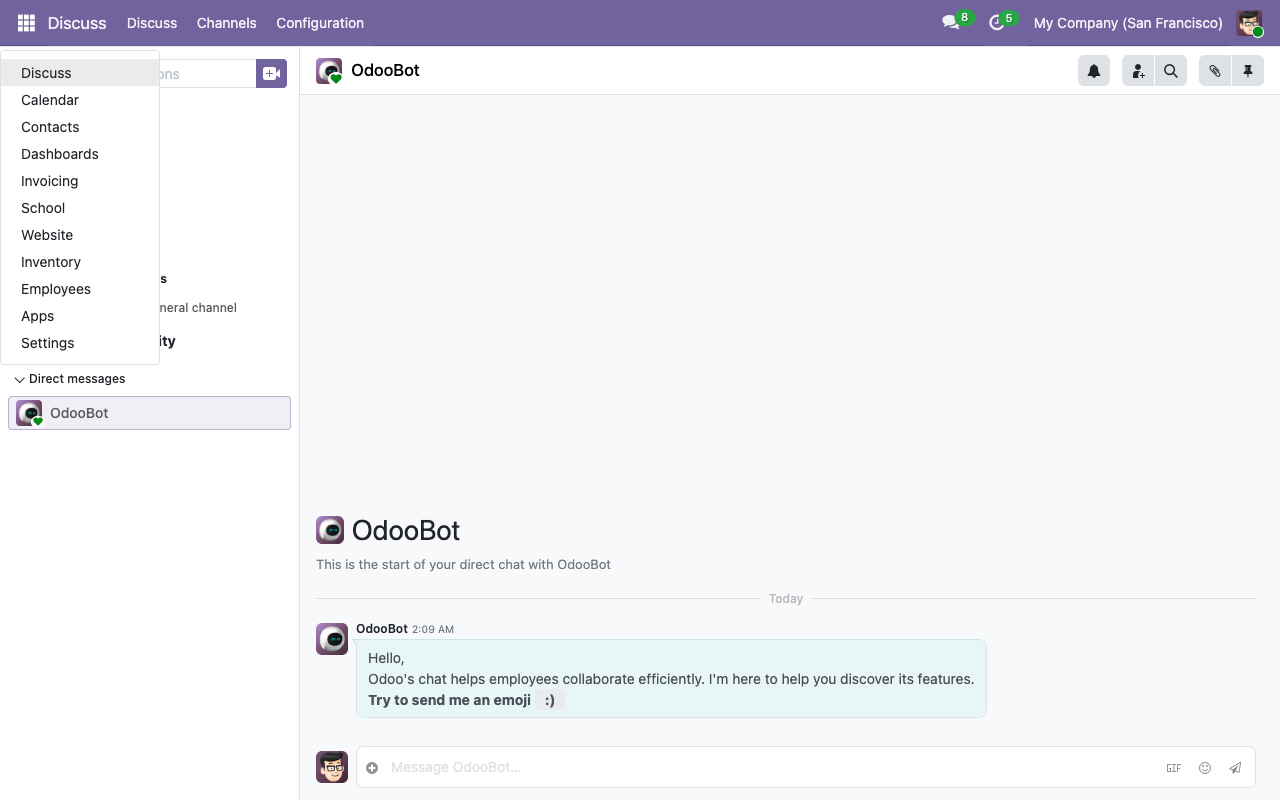
After saving, refresh the page — the School app appears in the top-left apps menu.
¶ Troubleshooting
Odoo logs show ModuleNotFoundError: No module named 'odoo.addons.school_...'
The running container started before the new module was added to the addons path. Restart Odoo:
docker compose restart odoo
Database selector shows many *_test databases
Those are leftover test DBs from the CI / dev cycle. Drop them with:
docker compose exec -e PGPASSWORD=odoo-dev-password db \
    psql -U odoo -d postgres -c "DROP DATABASE <name>"
connection to server at "db" failed: fe_sendauth: no password supplied
The shell didn't get the DB password. Pass it explicitly: odoo shell --db_password=odoo-dev-password ....